Get Cricket ID — What to Send the Desk for a Quick New Account
If you want to get cricket ID access tonight, the whole job runs through one WhatsApp chat with the Online Cricket ID desk at +91 81097 11726. You send a name, pick an exchange, pay ₹100 or more by UPI, bank or wallet, and the username plus password come back in roughly two minutes. The account costs nothing to open. 18+ only.
To get cricket ID access, pay only to the account shown in your own chat with Online Cricket ID. The login follows roughly 2 minutes after the money clears. 18+.
Get Cricket ID in Six Simple Steps on WhatsApp
Six moves, start to finish. Most people are done before the kettle boils.
Message the desk. Open WhatsApp and write to +91 81097 11726. A plain "new ID" is enough; the Online Cricket ID desk answers 24x7, including at 3 am on a match night.
Name the exchange. Say which of the 15 exchanges you want the login for, for example FairPlay, Sky Exchange or Lotus365.
Try the demo first, if you like. Unsure about the exchange? Section four explains how a free practice login works before any money goes in.
Fund it. ₹100 is the floor. The Online Cricket ID chat gives you an account to pay into; UPI, IMPS, NEFT and wallets all land there.
Read the reply. Two lines come back from Online Cricket ID, a username and a password, roughly 2 minutes once your rupees clear.
Make it yours. First visit to the exchange, swap the desk-issued password for a private one. Section six below covers that.
That is the theory. In practice step 4 is where the clock really starts, because a UPI payment that shows "processing" on your side has not cleared on ours yet, and the two-minute count only runs once it has. The rest of this page takes each step apart, so if something stalls you will know which one and what to type back to Online Cricket ID.
No joining fee, no monthly fee, ₹0 charged on the deposit. The ₹100 is your playing balance, not a charge for the Online Cricket ID itself.
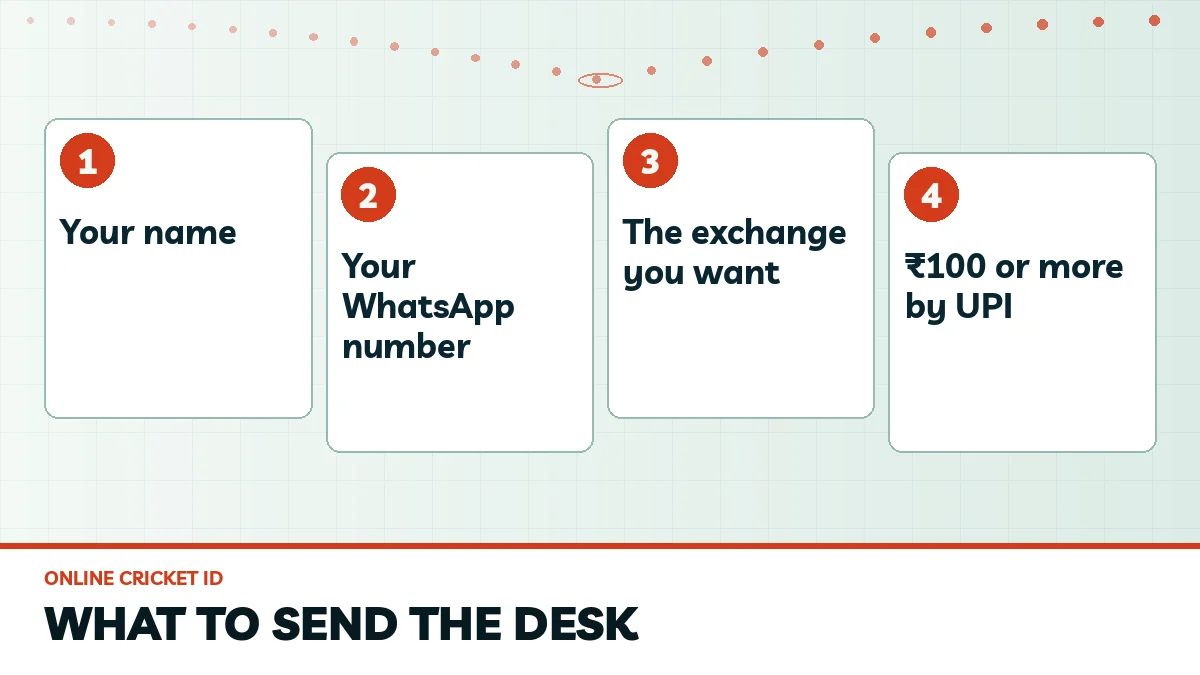
What to Send to Get Cricket ID: The Easy Short List
The list is short on purpose. Two things.
A name
Whatever Online Cricket ID should call the account holder. Rahul is enough; Rahul Verma is better.
The chat you are in
No need to type your number out. Online Cricket ID treats the phone you message from as the account contact, and replies land only there.
Which exchange
Not a document, just a choice. Say it in the first message to save a round trip.
Opening the account involves zero paperwork from your side. People often send a scan of their Aadhaar anyway, out of habit from bank apps, and the Online Cricket ID desk simply ignores it (you can delete it from the chat afterwards; nobody minds).
A Fast First Message to Online Cricket ID
Something like this works well: "Hi, I am Rahul Verma, want a FairPlay ID, will pay ₹500 by UPI." Name, exchange and amount in one line means the Online Cricket ID desk can send the payment account straight back instead of asking three questions in a row, and on a busy IPL evening that saves a few minutes. Keep it that simple.
Three red flags in a chat that says it is Online Cricket ID: a request for an OTP or PIN, a switch to another number halfway, a bonus that needs money upfront. Any one of them means stop. Also check your state's rules first, as the 2025 gaming Act tightened things; adults 18+ only.
Four items, no document upload.
Pick the Right Exchange Before You Get Cricket ID: Best Fit First
One login opens one exchange. Choose before you pay.
This matters more than most people expect. If you get a Sky Exchange login and later want FairPlay, that is a second ID with its own ₹100 start, and the balance from the first one cannot be moved across. So spend a minute on the choice before you message Online Cricket ID; the full rack of 15, with what each one is known for, sits on the all cricket id list of exchanges the desk serves.
Exchange
Known for
FairPlay
Sportsbook-style layout with exchange markets alongside, plenty of fancy
Sky Exchange
Classic exchange layout: match odds, bookmaker and fancy
Lotus365
Deep fancy lines on IPL nights, crowded casino lobby
Diamond Exchange
Plain odds grid, match odds, bookmaker and session
Every exchange on the Online Cricket ID rack carries back and lay cricket markets, session lines and live in-play, plus teen patti, andar bahar, dragon tiger and roulette in the casino lobby. The terms through the Online Cricket ID desk do not change from one to the next either: ₹100 in, ₹100 out, ₹0 fee, the login in about 2 minutes. Hard to go badly wrong, really. If you genuinely cannot decide, tell the Online Cricket ID desk what you mostly bet on (IPL sessions, Test match odds, casino) and ask which layout suits that.
Try a Free Demo Login Before You Get Cricket ID
Not sure yet? Try first, pay later.
Every exchange has a demo login you can use before any money changes hands, so ask the Online Cricket ID desk for it in the same chat and spend ten minutes on the odds screen. Watch a market suspend on a wicket. Open the session tab, see how the YES and NO lines sit. Check that the the site opens quickly on your phone browser, since that is where you will be using it; nothing has to be installed.
The demo shows the real layout of the exchange you picked, not a generic screen.
It does not need your name or any payment from you.
Once you are happy, reply "ok, going ahead" and the Online Cricket ID desk sends the payment account.
Some punters skip the Online Cricket ID demo completely and that is fine. Others try two exchanges in demo before choosing one. Your call.
Pay the First ₹100 Safely to Get Cricket ID Fast
The minimum is ₹100. There is no fee on top.
The one rule that protects your money: pay only to the account the Online Cricket ID desk sends inside the chat you started, and if a different number messages you mid-conversation claiming to be the Online Cricket ID desk, stop and check against the official Online Cricket ID WhatsApp number and how to save it before you send a rupee.
Quick UPI Payment for Your Online Cricket ID
Any UPI app works. Scan or type the details the Online Cricket ID desk sent, pay, then send the screenshot or the UTR in the chat. This is the fastest route for most people.
Secure Bank or Wallet Route to Get Cricket ID
IMPS clears fast; NEFT can take longer depending on the bank. A wallet transfer works too. Either way, share the reference number once it shows as done.
A worked example, since numbers make it clearer. Deposit ₹100, the login comes through in about 2 minutes, and if you later win and ask for ₹1,200 out, it reaches your UPI or bank in 5 to 15 minutes with ₹0 deducted. The only bonus at Online Cricket ID is 5% extra on a first deposit of ₹5,000, which is ₹250. Nothing else.
Anyone asking for an advance fee to release a bonus is not the desk.
First Sign-In After You Get Cricket ID: Secure Your Password
Your first ninety seconds on the exchange. Worth doing properly.
The Online Cricket ID reply names an exchange address. Put it in Chrome or Safari; there is no app to download first. Most failed first logins come from WhatsApp itself, which tends to drag an invisible trailing space along when you copy the username, so after pasting, tap at the end of the field and backspace once if the cursor sits away from the last letter. Passwords are case-sensitive too.
Username field
Your Online Cricket ID username, pasted and trimmed. It never changes.
Password field
The temporary one from the chat, then a new one you pick in account settings.
Quick Home-Screen Shortcut for Your Online Cricket ID
Android users can pin the exchange from the Chrome menu; on an iPhone the Share sheet has the same option. It behaves like an app icon but is just the live site, so it never needs updating. Blocked addresses happen in India now and then. When Online Cricket ID sends a fresh link, re-pin that one, and the same username and balance carry on there. Lost the new password? The Online Cricket ID desk resets it in minutes, username untouched.
People also search for Online Cricket ID
get cricket id
get cricket id on whatsapp
how to get cricket id
get cricket id with ₹100
get cricket id without documents
get cricket id free
get new cricket id today
get cricket id by upi
Get Cricket ID From Online Cricket ID: Fast Answers by Topic
Three short tabs for people who arrive with one question about how to get cricket ID and want only that answer from the Online Cricket ID desk.
What You Type to Get Cricket ID on This Page's WhatsApp Route
To get cricket ID, write your name, the exchange you want and the amount you plan to pay to Online Cricket ID. The number you write from becomes the account contact. No upload, no document, and the account itself is free.
How Payment Works When You Get Cricket ID With ₹100
The order of a first payment, kept short:
Wait for the account details in your own chat.
Pay ₹100 or more by UPI, IMPS, NEFT or wallet.
Send the UTR; the login follows about 2 minutes after it clears.
Safe First Steps Once You Get Cricket ID Details
Sign in through the browser, change the password, and save a home-screen shortcut. If a later address is blocked, Online Cricket ID sends the new one and your new cricket ID keeps the same balance.
Login Not Arrived After You Try to Get Cricket ID? Quick Fixes
Usually it is one of four things. Check them in this order.
What you see
Likely reason
What to message
Nothing after 10 minutes
Payment still processing on your bank side
"Paid ₹500, UTR 1234..., no login yet"
Login sent, sign-in fails
Space in the ID or wrong capitals
"Login not working, please reset"
Site will not open
Old bookmark of a blocked address
"Please send the current address"
Message from a new number
Not the desk
Nothing to that number; write to the saved one
The most commn case by a distance is the first row. A friend of mine paid by NEFT late on a Saturday, panicked at the 15-minute mark, and found the money had simply not left his bank yet; the login reached him a little after it cleared. Annoying, but nothing lost.
When you write to the Online Cricket ID desk, send the amount, the time you paid and the UTR or reference in one message, because a single line with all three lets the Online Cricket ID desk match your payment straight away instead of scrolling through a busy evening's chats looking for it. Keep the screenshot.
Still stuck after that? Everything the Online Cricket ID desk does, from new IDs to withdrawals, is laid out on the Online Cricket ID home page with the full desk timings, and the same WhatsApp thread stays open 24x7 for Online Cricket ID questions.
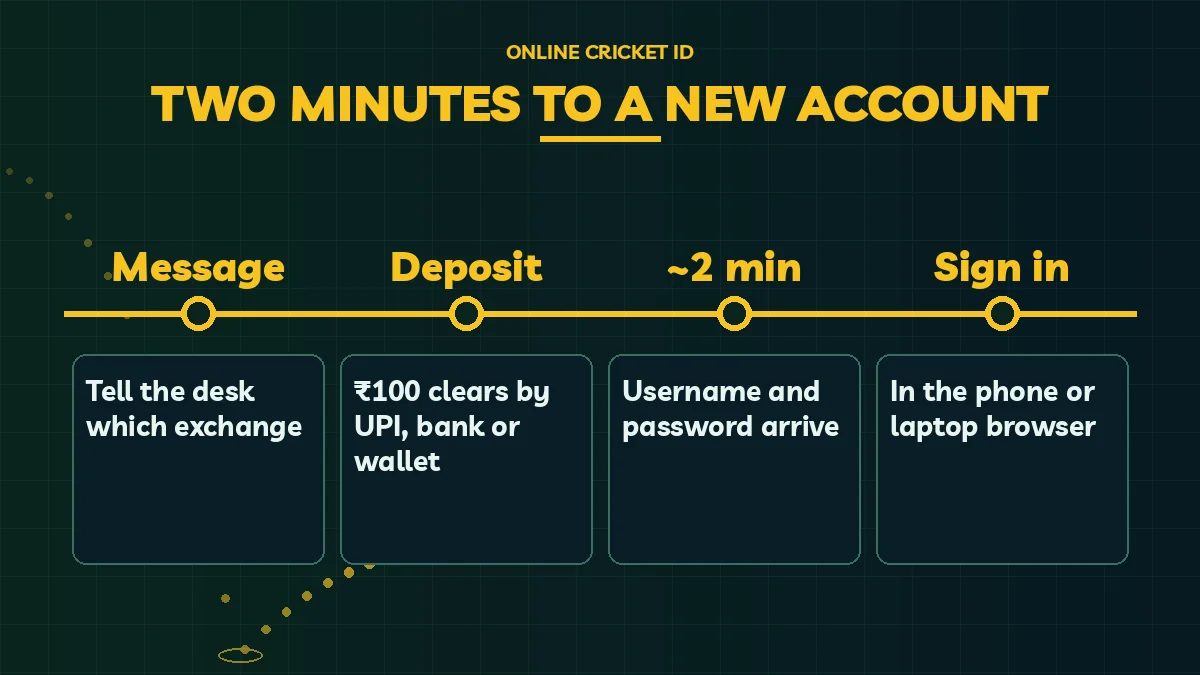
From message to sign-in.
Get Cricket ID: Real Questions Answered by Online Cricket ID
Is it free to get cricket ID from Online Cricket ID?
The account is free; only your stake costs money. Say you send ₹100 to Online Cricket ID: the whole ₹100 shows as balance, because the desk takes ₹0 on the way in and ₹0 when you withdraw. No sign-up charge exists, and no monthly bill follows.
Can I get cricket ID without Aadhaar or PAN?
Yes, documents play no part in it. A name typed into the chat plus the WhatsApp number you message from is the entire sign-up for Online Cricket ID. People who attach an Aadhaar card out of bank-app habit can simply delete it afterwards, since nobody on the desk looks for one.
How long does it take to get cricket ID after paying?
About 2 minutes after your payment clears. UPI and IMPS usually clear quickly, while NEFT can take longer depending on your bank. If nothing arrives, send the amount, payment time and UTR in one message so the Online Cricket ID desk can match it straight away.
Do I need to install an app to get cricket ID?
No install is needed. Every exchange that Online Cricket ID issues logins for runs inside Chrome or Safari, so the same username works on an Android phone, an iPhone or a laptop. A home-screen shortcut gives you an icon without using storage.
Can I get cricket ID late at night?
Yes. The Online Cricket ID WhatsApp desk is open 24x7, every day, so a request at midnight or early morning is handled the same way as one at noon. The login still follows roughly 2 minutes after the deposit clears.
What is the least I can pay to get cricket ID?
₹100 is the smallest first deposit Online Cricket ID accepts, by UPI, bank transfer or wallet. Bigger amounts are fine too. A first deposit of exactly ₹5,000 or more earns 5% extra, which is ₹250, and that is the only offer the desk runs.